Treating AI Agents as personas. Introducing the Agent Computer… | by Paz Perez | UX Collective
Sign up
Get app
Sign up

·
Follow publication

We believe designers are thinkers as much as they are makers. https://linktr.ee/uxc
Follow publication
1
Top highlight
Treating AI Agents as personas
Introducing the Agent Computer Interaction era.

Follow
7 min read
·
Nov 5, 2024
1K
17
Share
Press enter or click to view image in full size
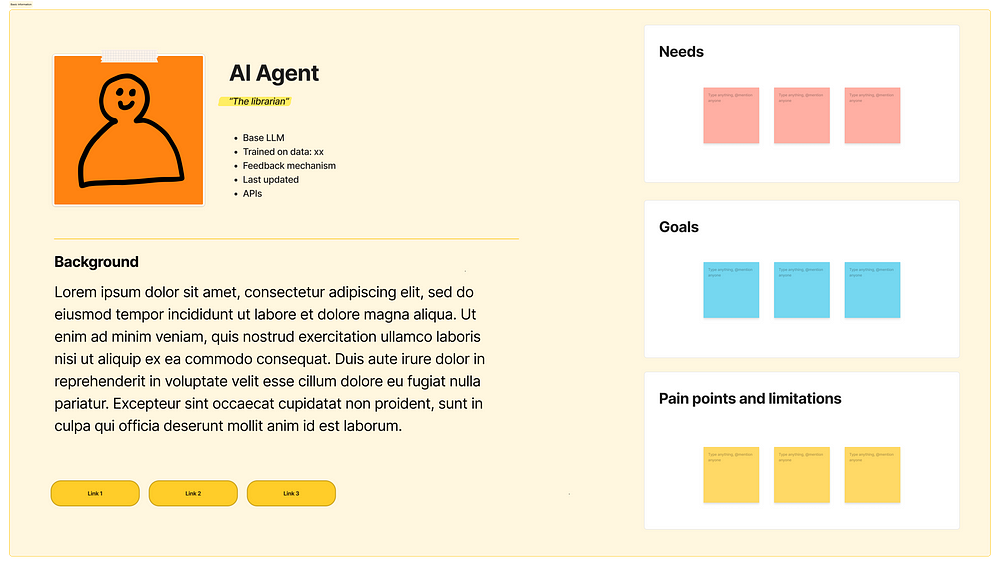
AI agent as a persona
While the UX community has quickly embraced Large Language Models as design tools, we’ve largely overlooked their more profound implications. Now, as AI agents become integrated throughout our digital products, we face a fundamental transformation: these systems are evolving from tools into active participants in our digital environments, and we need to design for them.
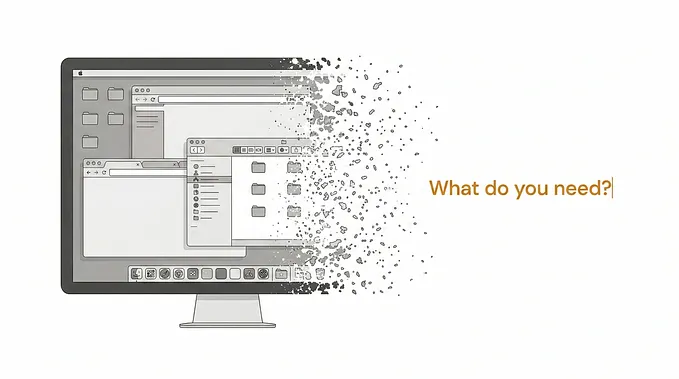
AI agents are emerging as a new class of users, independently navigating the interfaces we design and performing complex tasks on our behalf. This marks the beginning of a new era of interaction, the Agent-Computer Interaction, where user experience encompasses not only human-computer relationship, but also the experiences of the AI agents.
Admittedly, humans remain integral to this new dynamic, providing oversight and guidance. Still, AI agents should now be considered distinct user personas, with unique needs, capabilities, and objectives. This entails designing the experience for both humans and agents, crafting interfaces that cater to both, and ensuring they have the necessary resources and information to function effectively.
Understanding AI Agents
Google I/Odefined AI agents as intelligent systems capable of reasoning, planning, retaining information, and thinking multiple steps ahead, all while operating across various software and systems under human supervision. Other companies may frame their definitions differently, but they share this essential concept: AI that can think several steps ahead and retain context while working independently. It’s like having a digital assistant that can truly anticipate your needs and proactively solve problems.
Press enter or click to view image in full size
(Image from Google I/O) — Reminder, these are my personal views
While earlier AI agents relied on solely APIs to interact with other systems, recent breakthroughs, particularly in “computer use” pioneered by models like Claude, have unlocked a new level of agency. These advanced agents can now directly interact with graphical user interfaces, controlling the cursor, entering inputs, and navigating through applications just like a human user. This grants them unprecedented access to browser-based products, allowing them to perform tasks with a level of autonomy and sophistication we’ve never seen before.
In this new era of Agent Computer Interaction, AI teams must choose between two approaches for enabling AI agents to interact with software:
- Direct API Integration or “tool use”:Using function calls and APIs to interact with systems programmatically. This is often more efficient since it avoids the overhead of rendering visual interfaces. However, API quality and coverage can vary.
- Visual Interface Interaction or “human tools”:Having AI agents interact with software through their graphical user interfaces, just as humans do. While potentially slower, this approach offers greater transparency and allows humans to better monitor and control the AI’s actions.
API integration might be ideal for high-volume, well-defined tasks where speed and efficiency matter most. Visual interface interaction could be better suited for tasks requiring careful human oversight, providing more transparency and control. UX practitioners, and cross-functional partners, face a crucial challenge in determining the most effective interaction method for each use case, and the relationships with end users.
Press enter or click to view image in full size
Anthropic’s computer use
Designing the experience for AI agents
As AI agents evolve into active users of our digital products, UX designers need to expand their practice to account for these new participants. Just as we research human user needs, we must now understand their capabilities, what they require to function effectively, and how they achieve their assigned goals.
While agents ultimately serve human intentions, they often work in complex networks where they interact with other agents to complete tasks. For example, one agent might process data that another agent uses to make recommendations, all in service of a human’s original request. This creates new layers of interaction that designers must consider and support.
As we create personas for human users, we should now develop personas for AI agents. These personas should capture the nuances of an agent’s behavior, its strengths and limitations, and its evolving capabilities as technology and context advance. This will enable us to design interfaces and interactions that are optimized for agent workflows, as if they were just people.
Press enter or click to view image in full size
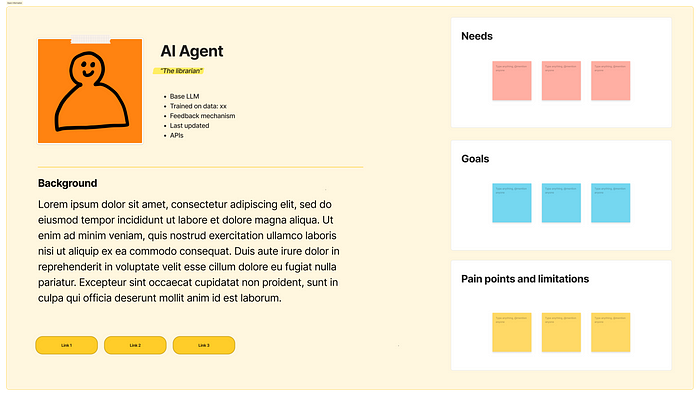
Agent persona — (Modified FigmaJam template)
Prepare to embrace new research methodologies, such as A/B testing different interface designs to determine which best supports agent performance. While AI systems may not be sentient, they possess motivations and can reason, plan, and adapt.
This new era presents us with a fundamental question: should interfaces be optimized for humans, agents, or both? The answer remains elusive, as we navigate this uncharted territory. The key lies in recognizing that AI agents are not merely tools, but users in their own right, exploring thoughtful design considerations and a nuanced understanding of agents’ unique needs.
When the mobile interrupted the world of desktop, it was first treated as a scaled-down version of the desktop experience. However, we soon unlocked the unique potential of mobile devices, and it changed the world in a way it was difficult to predict before. Similarly, we are now looking at AI advancement through the lens of existing paradigms, and time will show how new experiences will be shaped in a way we don’t expect. What is clear is that we appear to be on a trajectory from web apps to mobile apps, and now towards a future shaped by intelligent agents.
Shaping the AI Mind
Large Language Models (LLMs) are the “brains” behind AI agents, imbuing them with intelligence and reasoning capabilities. But UX designers have a crucial role to play in shaping these LLMs, going beyond interface design to influence the very core of agent behavior.
Get Paz Perez’s stories in your inbox
Join Medium for free to get updates from this writer.
Subscribe
Subscribe
- [x]
Remember me for faster sign in
In “The rise of the model designer” I argued that as designers we needed to get a seat at the table to shape AI models. We possess a unique understanding of user needs and mental models. This expertise is invaluable in crafting effective prompts that guide LLMs towards desired outcomes. By collaborating closely with engineers to develop system prompts aligned with user intent, we can ensure that AI agents provide relevant and meaningful experiences at the service of people
Press enter or click to view image in full size
AI model training & UX involvement from the “Model designer” article
Moreover, UX designers should actively participate in creating strategies for evaluating agent performance and leveraging user feedback to refine LLM behavior. This involves establishing a data flywheel that continuously improves the agent’s ability to understand and respond to user needs.
The key takeaway is this: designing for AI agents requires a shift in mindset. We are not only crafting a product for them to use; we are actively shaping the agents themselves, influencing their intelligence and behavior through careful prompting and continuous feedback. This represents a new frontier for UX, where our expertise extends to the very heart of AI.
Keeping Humans in the Loop
While designing for AI agents presents exciting new challenges, we must never lose sight of our ultimate goal: enhancing human experiences. AI should serve humanity, and our design efforts must prioritize human needs and values.
Control is paramount. UX practitioners must carefully consider how to empower users with agency over their AI interactions. This includes designing clear mechanisms for granting permissions, providing context about data access, and offering opt-out options for those who prefer not to engage with AI agents. Establishing trust through user control is essential for the successful adoption of agent-driven experiences.
Transparency is equally crucial. Users need clear insights into how AI agents utilize their data, interact with their tools, and collaborate with other agents. In scenarios involving multiple agents from different companies, users should have visibility into the participants and the ability to choose which entities they allow into their digital ecosystem.
Fortunately, we can draw upon existing UX frameworks to navigate this complex landscape. System design, for example, offers valuable tools for visualizing the intricate relationships within agent-driven ecosystems while maintaining a human-centered perspective. By adapting mapping techniques like blueprints commonly used in service design, we can effectively represent the interplay between humans, agents, and products, highlighting lines of visibility and control.
Press enter or click to view image in full size
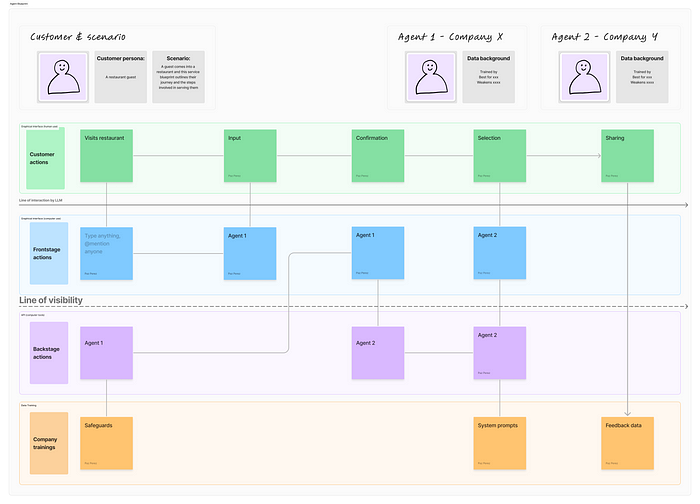
Agentic experience map draft (Modified FigmaJam template)
These modified blueprints, which we might call “agentic experience maps”, should not only depict the flow of interactions but also incorporate elements related to agent training and evaluation. This holistic view will enable us to design systems that are both powerful and trustworthy, ensuring that AI truly puts humans first.
Conclusion
We are entering a new phase of digital design where AI agents are becoming active users of our systems, not just tools within them. This shift requires UX designers to expand their perspective, considering how both humans and AI agents interact with interfaces and with each other.
While the rapid evolution of AI technology may feel overwhelming, this field is still in its early stages. The core principles of user experience design remain valuable — we’re simply extending them to encompass artificial users alongside human ones. This presents a unique opportunity for designers to shape how AI agents interact with systems and serve human needs.
The future of UX lies in understanding and designing for this Agent Computer Interaction. Those who develop expertise in this area now will help define best practices for years to come.
So take a deep breath, sign-up for a class, and join the movement to design a future we can all be proud of.
Sources:
- Anthropic— Introducing computer use
- NNg— Service Blueprints
- Latent Space podcast— Language Agents: From Reasoning to Acting
- Cognition— Introducing Devin
- MIT technology Review— Google’s Astra is its first AI-for-everything agent
- Alex Klein— The agentic era of UX
1K
1K
17


Follow
We believe designers are thinkers as much as they are makers. https://linktr.ee/uxc
Follow


Follow
AI Design Consultant. Co-funder Nothing Fancy AI | Formerly at Google, Autodesk, and more. https://www.nothingfancy.ai/
Follow
Responses (17)

Write a response
Cancel
Respond

Ohh, that's truly brilliant insight! A fresh perspective I didn't consider, as a developer trying to stick with text-only interfaces (API or command line).
72
Reply

✨Alok | Founder of 4 Pubs | Web & AI | 500K+ Views he/him
Beautiful perspective
76
Reply

How to join this publication???
21
Reply
See all responses
More from Paz Perez and UX Collective

In
by
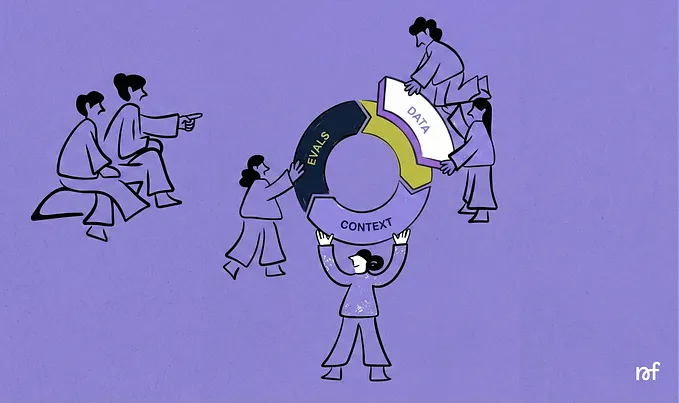
## The new UX Toolkit: data, context, and evals ### Designing how models behave
Feb 2
In
by
Mar 5

In
by
Jun 15, 2017
In
by
## The rise of the Model Designer ### How designers should embrace shaping AI models.
Jan 23
Recommended from Medium


Feb 6

In
by
Dec 11, 2025


## The End of Dashboards and Design Systems ### Design is becoming quietly human again.
Nov 26, 2025

In
by
Nov 16, 2025

Mar 9


Feb 26